| Support Category: Admin Assistance |
| Specialist Notes: |
WHAT SHOULD YOU KNOW? Multifactor Authenticator has been enabled for DOC NOAA Administrative users. However, unlike the other bureaus listed in the DOC Multifactor Authenticator for CLC Administrators SR, (with USPTO being the only exception), they will not be doing so through the Cornerstone MFA page seen below. 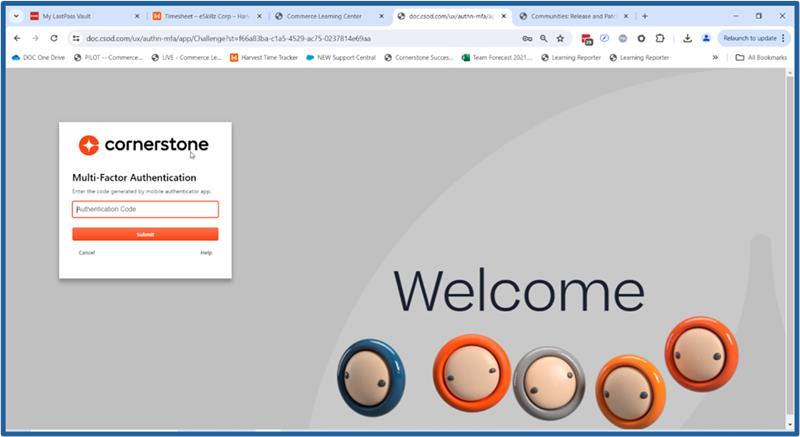 |
IMPORTANT! NOAA Administrators should only see the MFA option should they not use the new SSO button (ADMINS - ICAM) implemented for them. |
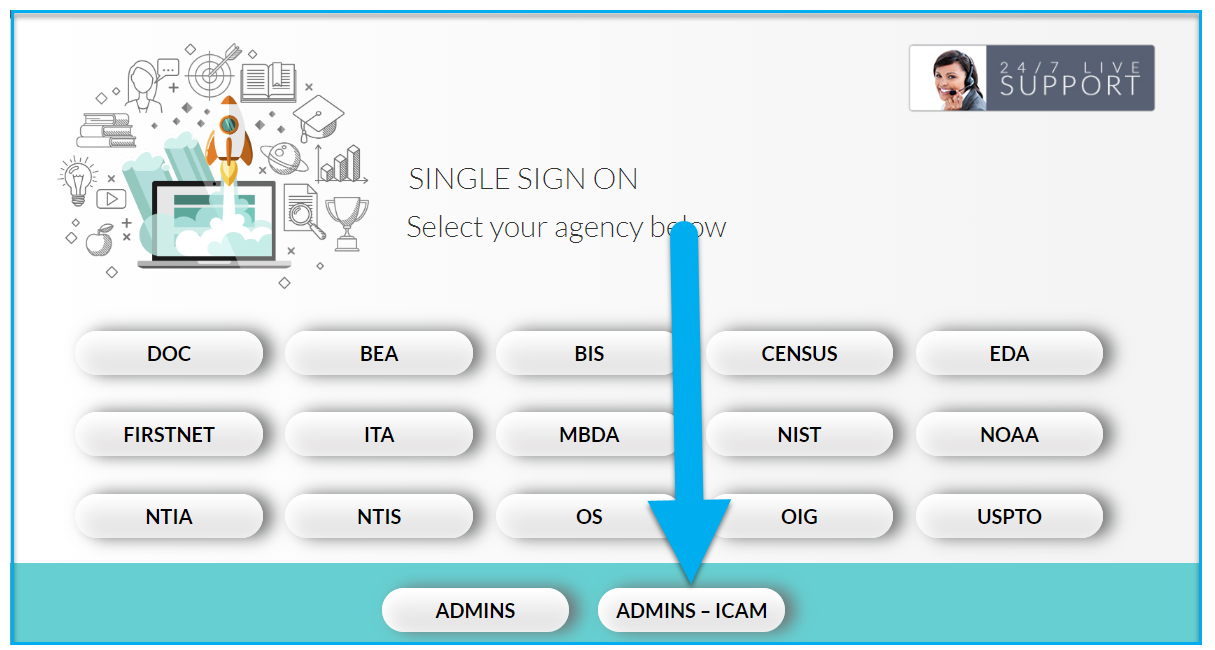
WHAT DOES IT MEAN? Administrators do not have to use the MFA to sign in. But in order to utilize the ADMINS - ICAM button, their account must be active and set up correctly. This means that their email address should follow the format of having the prefixes 'adm_ or admlc-' in front of their email address and in one of the three 'Login Fields'. |
HOW SHOULD WE ASSIST? ➤If an NOAA Administrator sees the Cornerstone MFA page after using the ADMINS - ICAM button, please escalate. Per usual, we can confirm this by asking the user for screenshots. ➤If a user states they are a CLC Administrator but does not have an admin email, please escalate. |
NOTES FOR TICKET PROCESSORS! Escalate to natahnya.campbell@noaa.gov and ncrubaugh@eskillz.com should an NOAA Administrator sees the Cornerstone MFA page after using the ADMINS - ICAM button. |
| Standard Response: |
